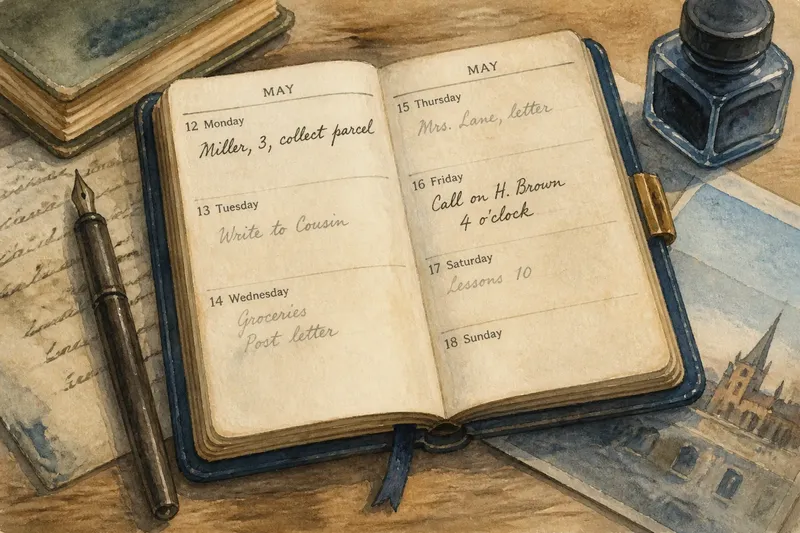
Paper List or Calendar Block: Two Ways to Hold a Task
A paper list or calendar block gives a task a different kind of reminder. Choose the one that clarifies your next action without duplicating the plan.
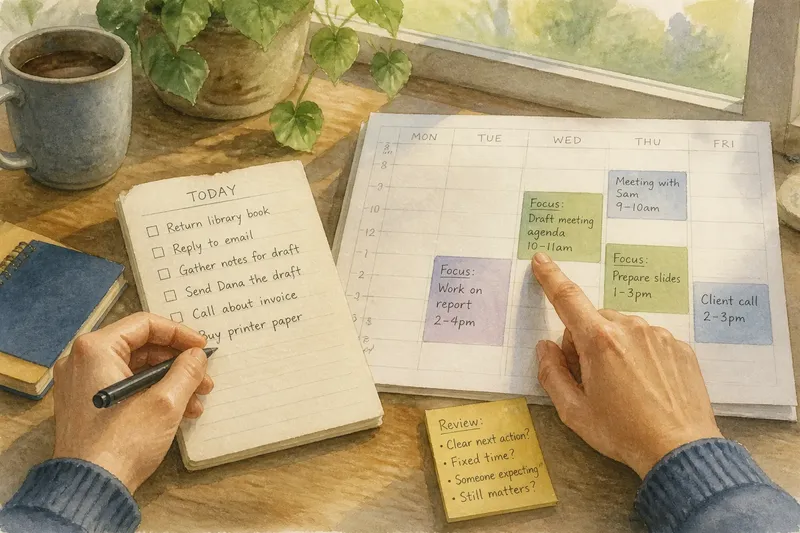
A paper list or calendar block gives a task a different kind of reminder. A list keeps a choice visible; a block marks a time you mean to use. Mixing those roles can leave you with a page of vague intentions and a calendar that looks more committed than you are.
What belongs on a paper list?
Use a paper list for tasks you can choose among as the day unfolds: return a book, reply to a nonurgent message, or gather notes before drafting. The list holds open work without assigning it a particular hour.
Make each item specific enough to act on. “Work on report” leaves the next decision for later; “mark the sections that need a source” tells you what to do. If another person is involved, record the action you control, such as “send Dana the draft,” rather than “follow up sometime.”
A handwritten page can sit beside your notebook or keyboard, ready for a quick scan. But copying unfinished items forward without reconsidering them turns the list into a record of repetition, not a prompt for action. Keep only tasks that still matter.
What belongs in a calendar block?
A calendar block marks a time you intend to give a task. It fits work tied to a specific window, a call during business hours, or an activity that needs protected attention. Naming the action helps distinguish a work block from an appointment: “Draft the first page” is clearer than “project.”
A work block is an intention, not an external obligation. If the day changes, revise or remove it rather than leaving an obsolete block to imply the work happened. Reserve time only when you can say what you plan to do during it.
Keep fixed commitments and flexible work distinct. An appointment involves another person or a firm commitment; a work block is usually yours to revise. Clear labels help you tell the difference at a glance.
How do you choose between a paper list and a calendar block?
Ask what decision the reminder should make easier. If you need to see which tasks remain available, use a list. If you have chosen a time for a task, put that time on the calendar. The distinction is about the reminder’s job, not how important the task feels.
- Check whether the task has a fixed time. If it does, enter that commitment in the calendar; if not, keep it on the list or identify a suitable time before reserving one.
- Check whether the next action is clear. If it is, write that action on the list; if it is not, clarify the task before scheduling time for it.
- Check whether another person is expecting you. If yes, treat the time as an appointment; if no, label it as a revisable work block.
- Check whether the task is flexible. If you can do it at several suitable moments, leave it on the list; if a particular window matters, put that window on the calendar.
- Check whether the task is already on the calendar. If a block is in place, mark or remove the duplicate list item; if the time has not been chosen, leave the task available on the list.
- Check whether the task still matters. If it does, rewrite its next action or choose a time; if it does not, remove it rather than giving it a fresh date.
Say you have a meeting on Thursday and need to prepare a short agenda. On Monday, the task is flexible, so you write “draft agenda” on your paper list. On Wednesday, you choose a calendar block before the meeting, label it “Draft meeting agenda,” and cross the list item off. The result is a clear time for the work and no duplicate reminder suggesting that it remains unplaced.
A list can hold the options; the calendar can record the choice.
When should a task stay off the calendar?
A tiny action that can happen during a natural opening may not need a reserved block. Keep it on the list if that is enough to bring it back to mind. If the next action is still unclear, define it before assigning time; otherwise, the block may reserve an hour for being unsure.
Some tasks depend on an external event. “Ask about the invoice” can remain on the list while you wait for the right person to be available. If you arrange a call for a fixed time, put the call on the calendar. The relevant question is whether a particular time helps you act.
Age alone is not a reason to schedule a task. An old item may need a clearer next action, a later date, or removal—not a new calendar entry by default.
How can you keep the reminders from competing?
Give each tool one clear job. If the calendar holds the chosen time, mark or remove the matching list item so it does not look equally pending. Keep the wording consistent when both entries are useful, and make their different purposes visible.
At a natural pause, compare the list with the calendar. Move a task only when its timing has changed or you have chosen a time for it. On paper, a box around a scheduled task can distinguish it from open options; in a digital calendar, a short prefix such as “Focus” can distinguish work from appointments. One visual cue is generally enough.
What do people ask about a paper list or calendar block?
Should a deadline go on a list or in a calendar?
Put a fixed deadline where you will reliably see it, often in the calendar. Use a list for the actions needed before it, since the date itself does not describe the work.
Is a work block the same as an appointment?
Both reserve time, but a work block is usually a revisable intention, while an appointment involves another person or a fixed commitment. Label work blocks plainly so you can tell which kind of obligation you have made.
What should you do with an unfinished list item?
Decide whether it still matters and state its next action. Keep flexible work on the list; choose a calendar time only if timing helps you act.
Can one task appear in both places?
Yes, when each entry serves a separate purpose: the list records the task, and the calendar records the chosen time. Update the list once the task is scheduled or finished so it does not continue to appear unplaced.
How should you decide where a reminder belongs?
For a paper list or calendar block, match the tool to the decision ahead. Keep a flexible task visible as an option; use the calendar when you have chosen a time or need to record a fixed commitment. If neither reminder clarifies what to do, rewrite the task before adding another entry.
When you next review your paper list, look for one item that has acquired a real time constraint. Put that commitment on the calendar, then update the list so the two reminders describe one plan rather than competing versions of it.